Table of Contents
Patient Demographics
Reception View
- In the reception view, if you click an appointment, it shows a patient demographic summary in the upper right corner.
- For more detail, click “modify” in the upper right.
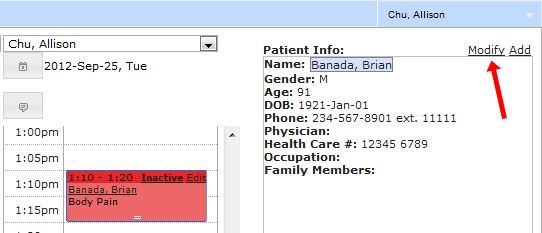
Chart View
- In the chart view, you can see the summary in the top middle section of the chart.
- For more detail, click “edit patient” in the upper right.

Document View
- In the document view, click the patient's name to see the detailed demographics.