
docs:inbox
This is an old revision of the document!
Document View
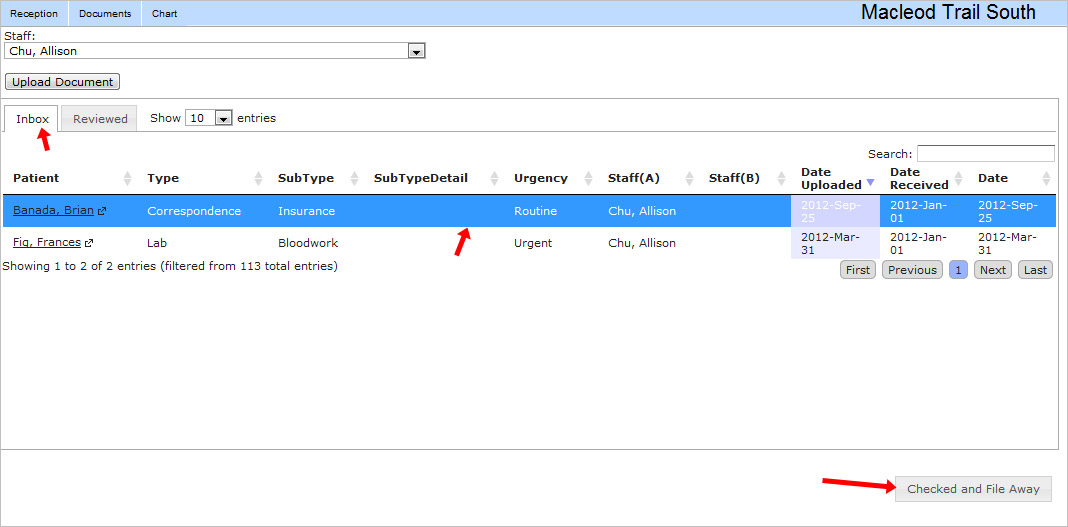
Click “Documents” in the upper left blue bar to go to your document view.

From here you can see your document inbox and see a document preview to the right side.

You can also “Check and file away” reviewed documents. Note that reviewed documents will show up in the “Reviewed” tab in the upper left.
As always, the messaging window is in the bottom left corner. You can send messages regarding your reviewed documents easily.

docs/inbox.1348570842.txt.gz · Last modified: 2012/09/25 11:00 by jackson


